Cursor Integration
Use SilkDock with Cursor IDE for AI-powered code editing and chat
Cursor is an AI-powered code editor built on VSCode. You can configure Cursor to use SilkDock for enhanced AI capabilities, access to multiple models, and better cost control.
Prerequisites
- An SilkDock account with an API key
- Cursor IDE installed
- Basic understanding of Cursor's AI features
Setup
Cursor supports OpenAI-compatible API endpoints, making it easy to integrate with SilkDock.
Get Your API Key
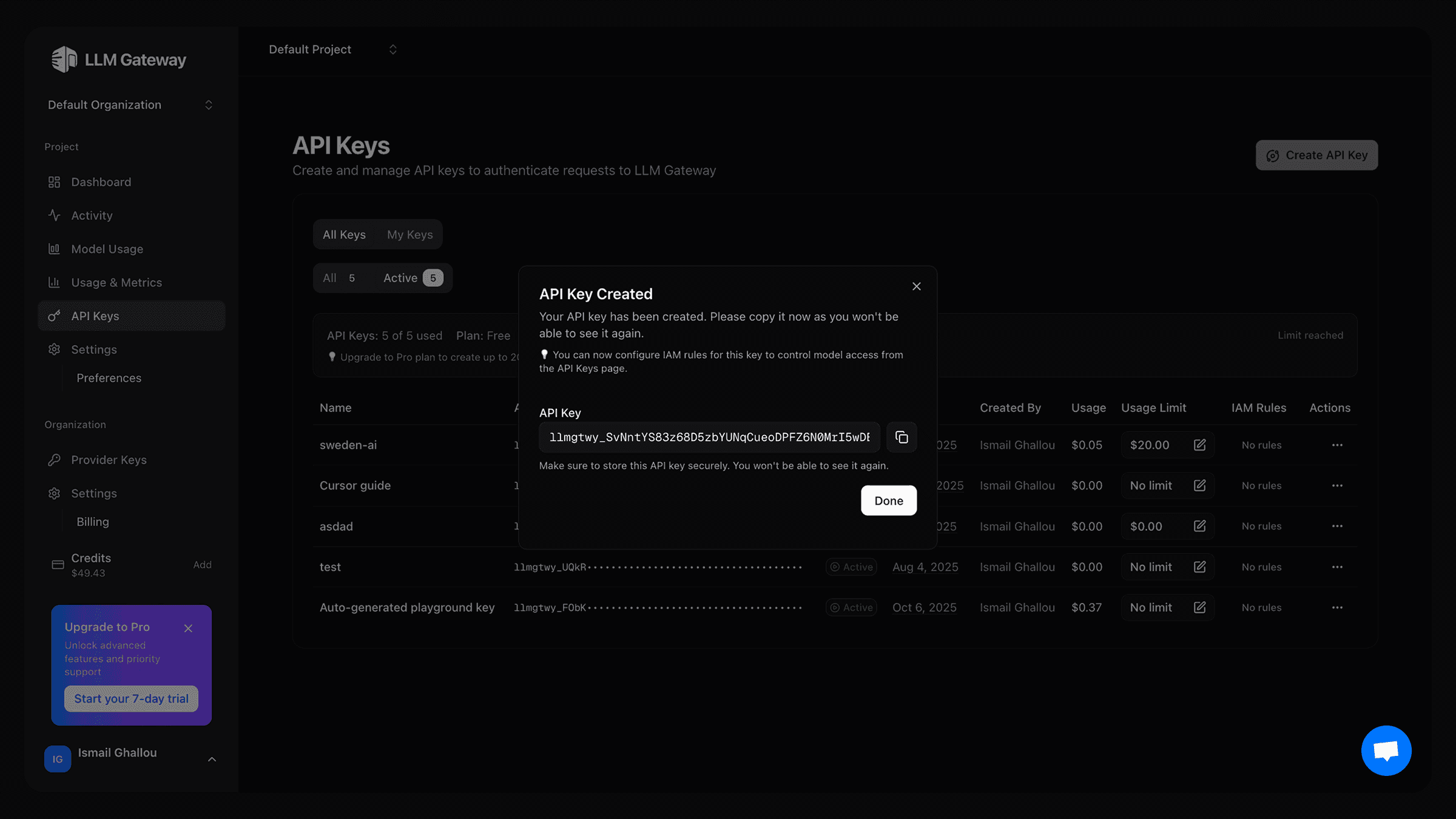
- Log in to your SilkDock dashboard
- Navigate to API Keys section
- Create a new API key and copy the key
Configure Cursor Settings
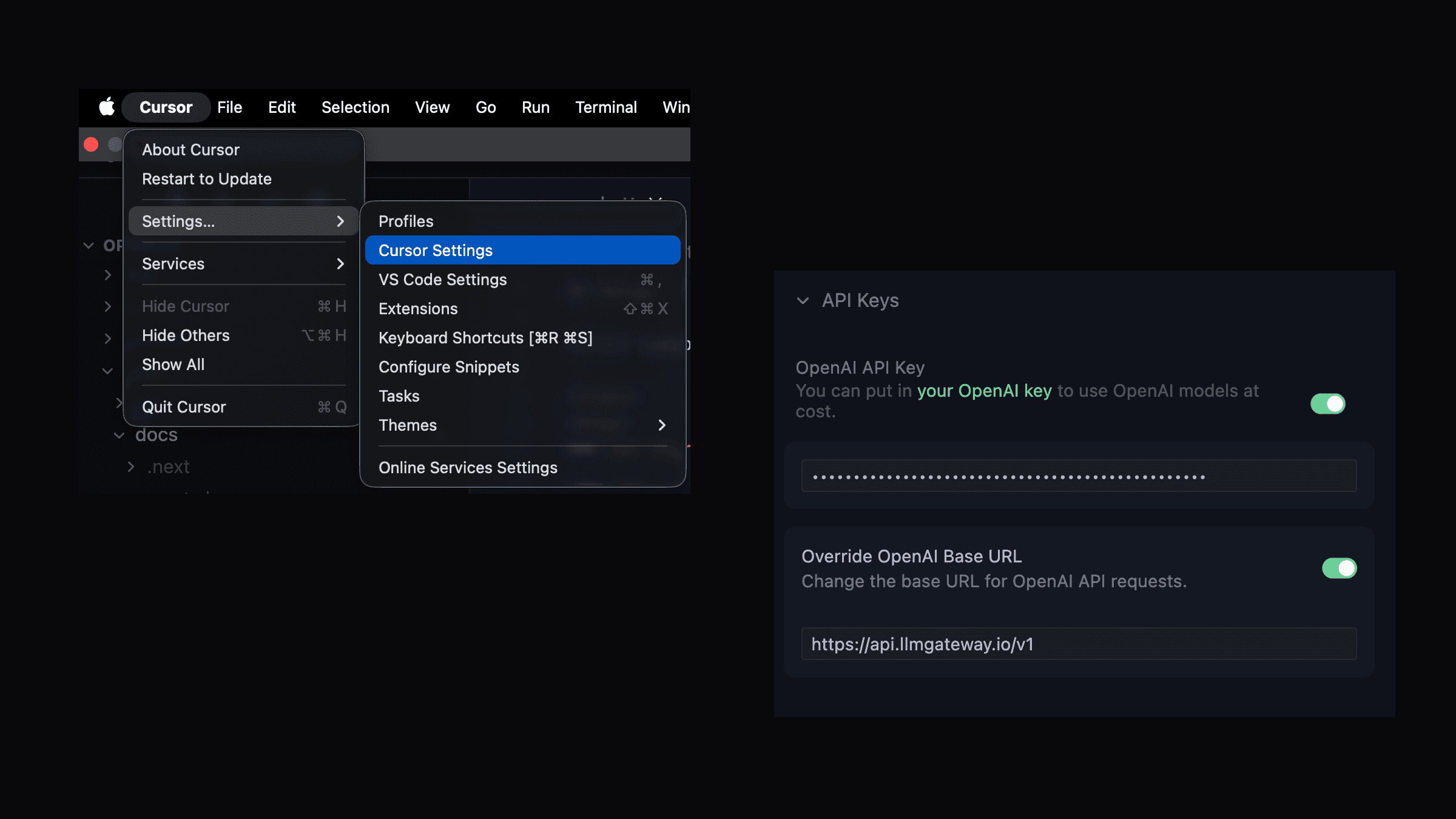
- Open Cursor and go to Settings then Click on "Cursor Settings"
- Click on "Models"
- Click on "Add OpenAI API Key"
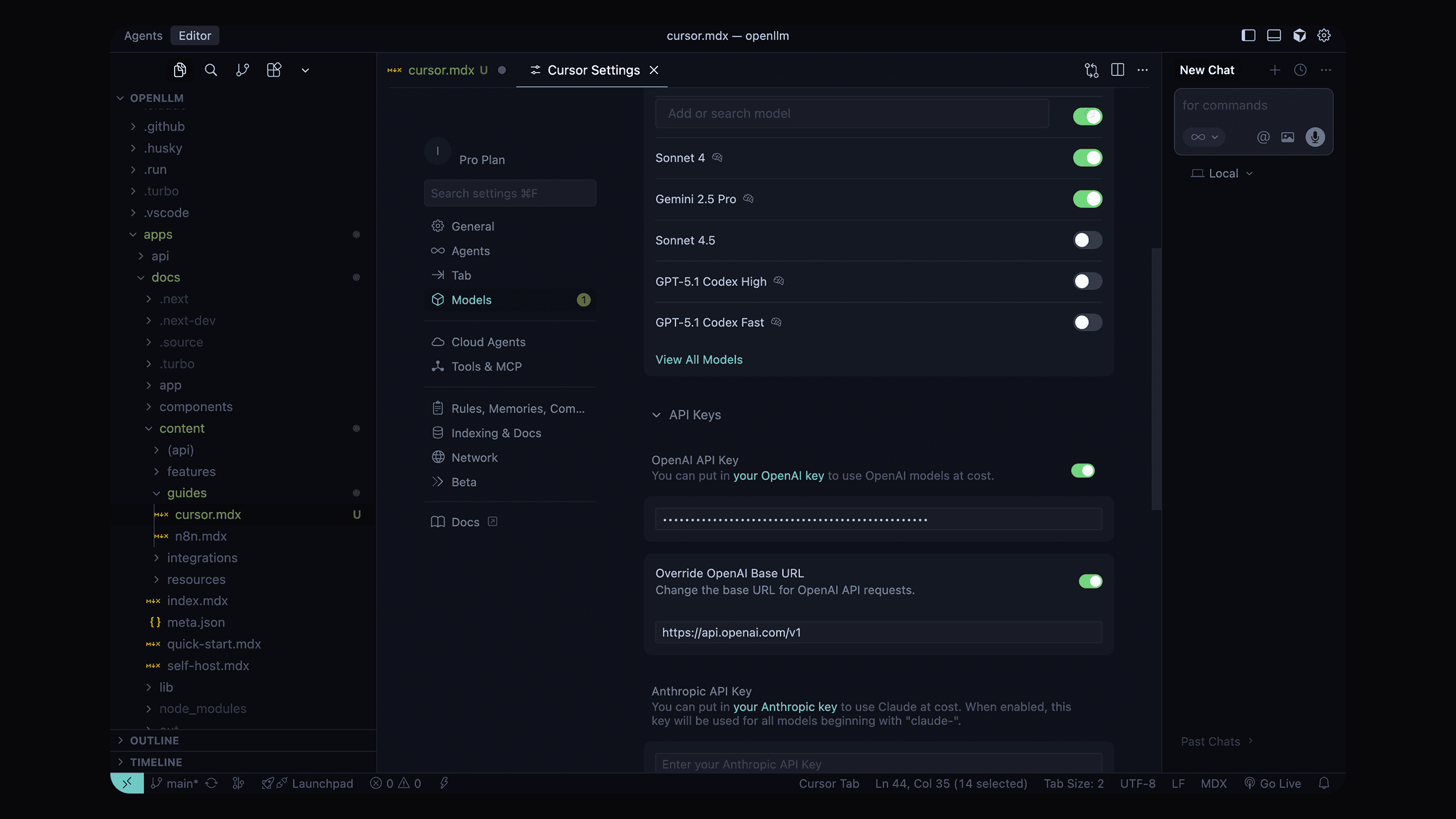
- Scroll down to OpenAI API Key section
- Click on Add OpenAI API Key
-
Enter your SilkDock API key
-
In the same Models settings, find the Override OpenAI Base URL option
-
Enable the override option
-
Enter the SilkDock endpoint:
https://silkdock.ai/v1
Select Models
- In the Models section, you can now select from available models
- Choose any SilkDock supported model:
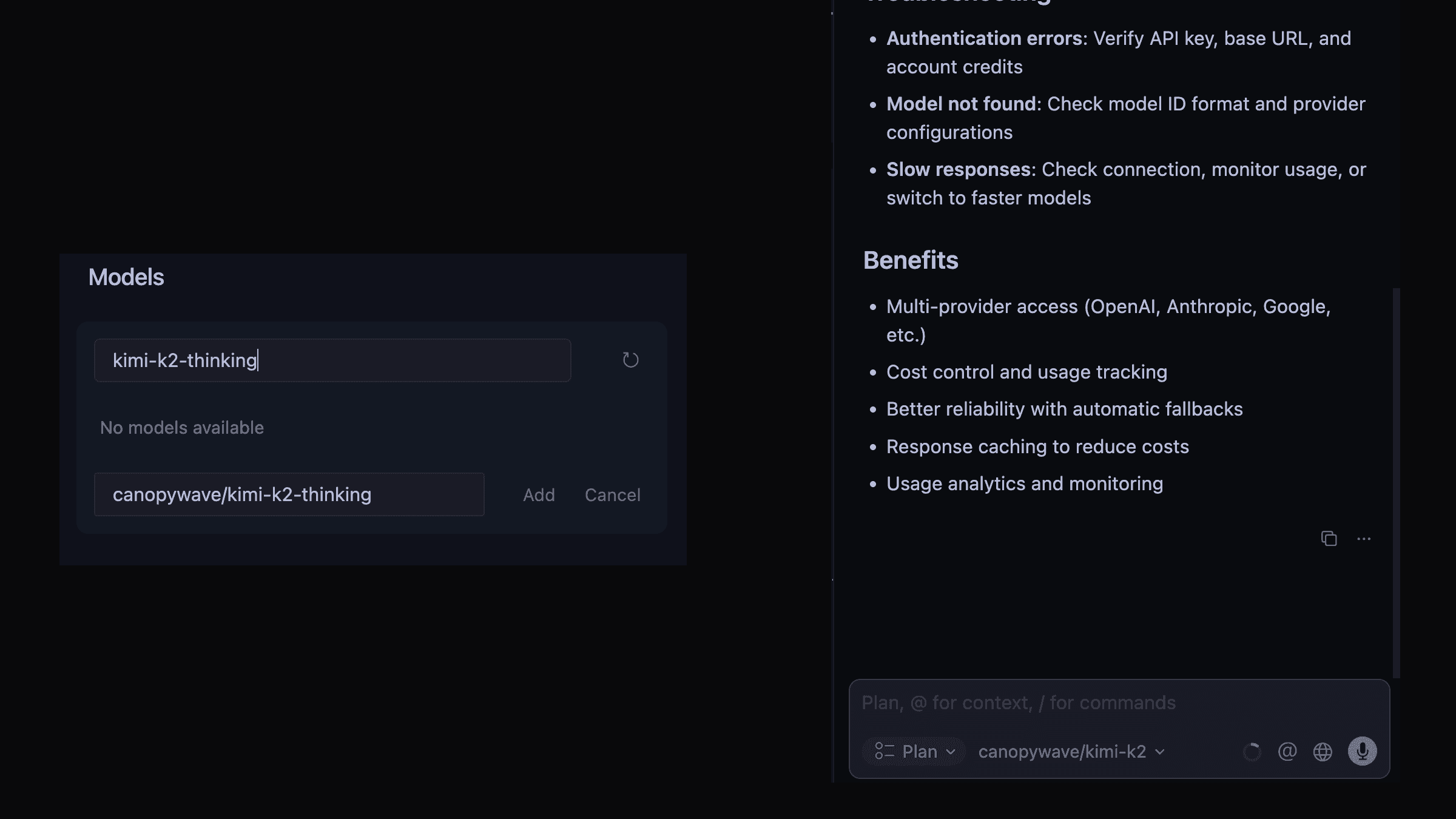
- For chat: Use models like
gpt-5,gpt-4o,claude-sonnet-4-5 - For custom models: Add the provider name before the model name (e.g.
custom/my-model) - For discounted models: copy the ids from from the models page
- For free models: copy the ids from from the models page
- For reasoning models: copy the ids from from the models page
Test the Integration
- Open any code file in Cursor
- Try using the AI chat (Cmd/Ctrl + L)
- Or test the autocomplete feature while typing
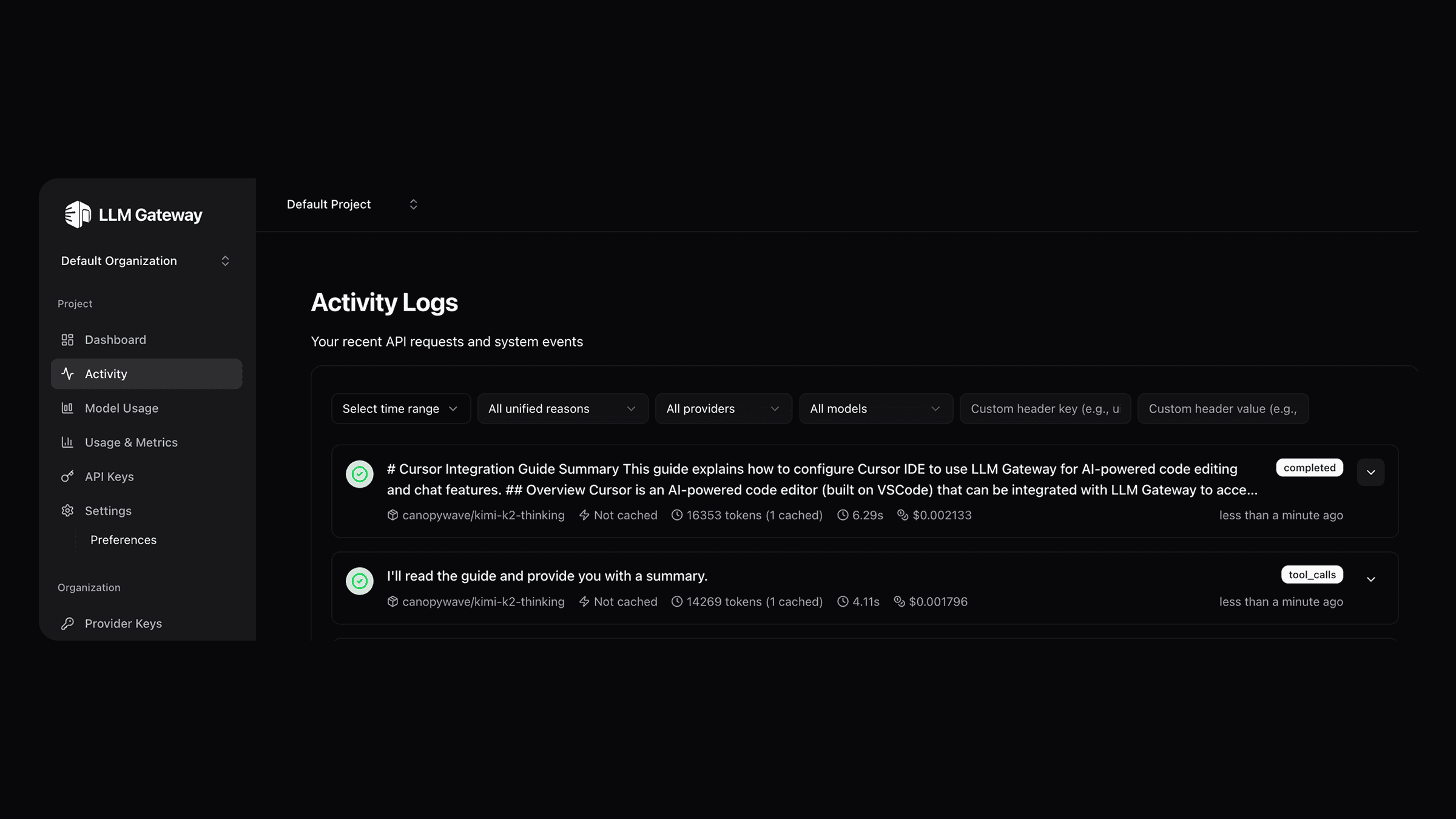
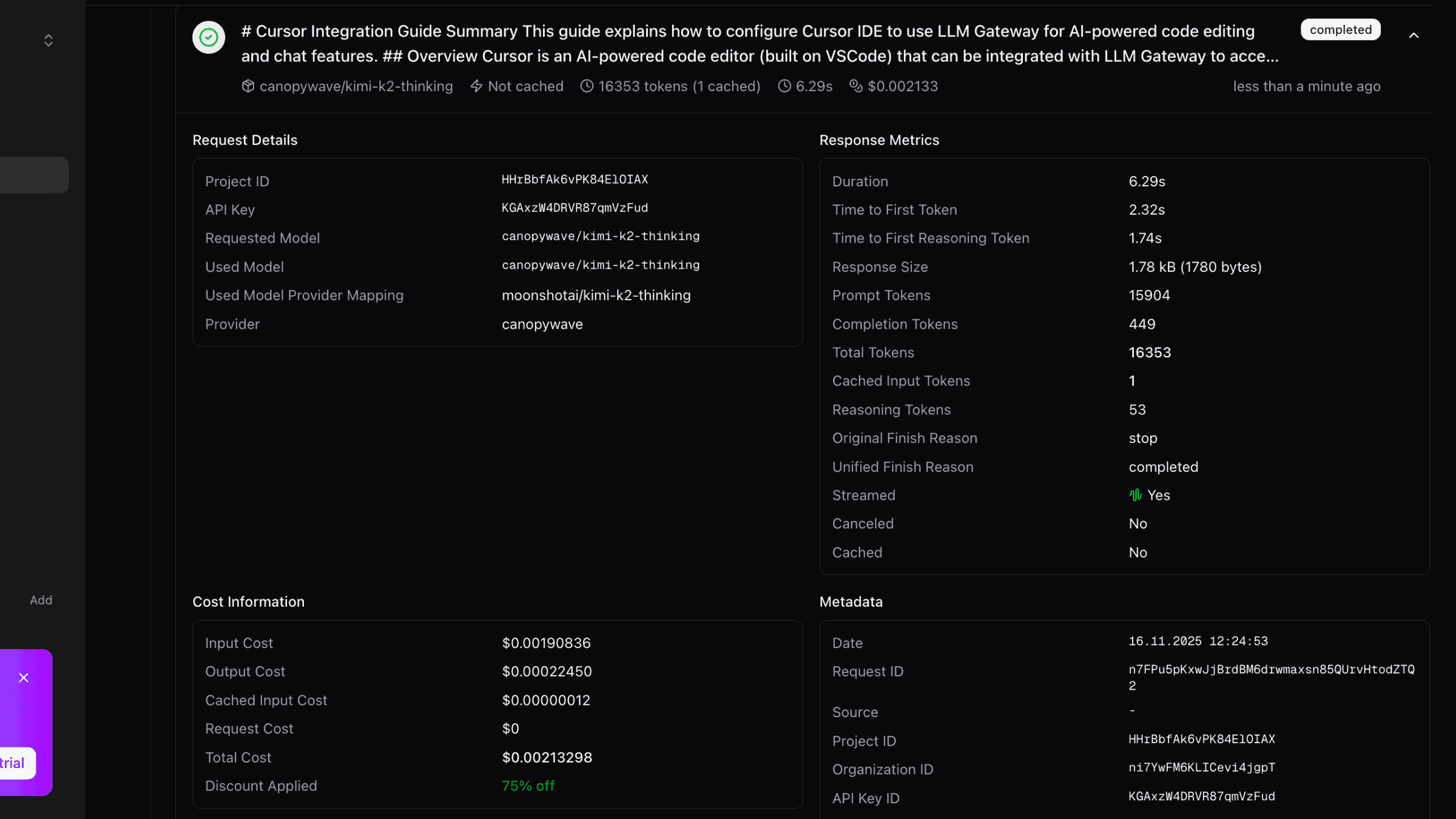
All AI requests will now be routed through SilkDock.
Features
Once configured, you can use all of Cursor's AI features with SilkDock:
AI Chat (Cmd/Ctrl + L)
- Ask questions about your code
- Request code explanations
- Get debugging help
- Generate new code
Inline Edit (Cmd/Ctrl + K)
- Edit code with natural language instructions
- Refactor functions
- Add features to existing code
Autocomplete
- Get intelligent code suggestions as you type
- Context-aware completions based on your codebase
Advanced Configuration
Using Different Models for Different Features
Cursor allows you to configure different models for different features:
- Chat Model: Use a powerful model like
gpt-5orclaude-sonnet-4-5 - Autocomplete Model: Use a faster, cost-effective model like
gpt-4o-mini - Custom Model: Use a custom model like
custom/my-model - Reasoning Model: Use a reasoning model like
canopywave/kimi-k2-thinkingwith 75% off discount
This gives you the best balance of performance and cost.
Model Routing
With SilkDock's routing features, you can:
- Chooses cost-effective models by default for optimal price-to-performance ratio
- Automatically scales to more powerful models based on your request's context size
- Handles large contexts intelligently by selecting models with appropriate context windows
Troubleshooting
Authentication Errors
If you see authentication errors:
- Verify your API key is correct
- Check that the base URL is set to
https://silkdock.ai/v1 - Ensure your SilkDock account has sufficient credits
Model Not Found
If you see "model not found" errors:
- Verify the model ID exists in the models page
- Check that you're using the correct model name format
- Some models may require specific provider configurations in your SilkDock dashboard
Slow Responses
If responses are slow:
- Check your internet connection
- Monitor your usage in the SilkDock dashboard
- Consider using faster models for autocomplete features
Benefits of Using SilkDock with Cursor
- Multi-Provider Access: Use models from OpenAI, Anthropic, Google, Open-source models and more
- Cost Control: Track and limit your AI spending with detailed usage analytics
- Caching: Reduce costs with response caching
- Analytics: Monitor usage patterns and costs
Last updated on